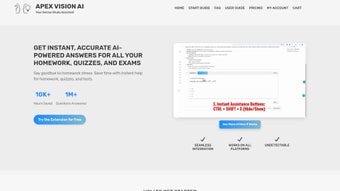

Download Apex Vision – AI‑Powered Education Web App for Secure Learning
Overview of Apex Vision
Apex Vision is a cloud‑native, subscription‑based education platform that brings artificial‑intelligence‑driven teaching to schools, universities, and corporate training departments. Launched on Softonic on 7 May 2025, the web app delivers a desktop‑like experience directly through any modern browser, eliminating the need for bulky installers on Windows, macOS, Android, or iOS. Its core mission is to democratize AI education by offering a secure, always‑up‑to‑date environment where educators can create personalized learning paths, track real‑time analytics, and collaborate in virtual workspaces.
The interface is intentionally clean, allowing teachers to focus on curriculum design rather than technical configuration. Because everything runs in the cloud, updates are applied automatically, and the platform remains compliant with GDPR, FERPA, and other regional data‑protection standards. Users access Apex Vision by simply visiting the portal, signing in with an email address or single‑sign‑on (SSO) credentials, and selecting a subscription tier that fits their institution’s size.
Whether you are a solo instructor looking for a free trial or a multinational corporation seeking enterprise‑grade analytics, Apex Vision scales to meet those demands while keeping the learning experience intuitive and engaging.
Features and Benefits
What Makes Apex Vision Stand Out?
- AI‑Personalized Learning Paths – Adaptive algorithms modify lesson difficulty based on real‑time performance.
- Interactive Simulations – Hands‑on labs for neural networks, data preprocessing, and model evaluation.
- Comprehensive Analytics Dashboard – Detailed reports on engagement, mastery, and skill gaps.
- Collaborative Workspaces – Real‑time group projects and peer reviews integrated into the platform.
- Secure Cloud Hosting – End‑to‑end encryption, GDPR compliance, and role‑based access controls.
- Regular Content Updates – New courses, quizzes, and AI case studies added monthly.
- Cross‑Browser Compatibility – Fully functional on Chrome, Firefox, Safari, Edge, and Opera.
- Offline Mode (Beta) – Download lesson assets for study without an internet connection, then sync progress later.
The feature set is built around the principle that AI education should be both powerful and approachable. By using AI to tailor each learner’s journey, the platform reduces manual grading and curriculum adjustments, freeing educators to concentrate on mentorship. The analytics dashboard supplies actionable insights that help institutions allocate resources efficiently and identify students who may need additional support.
Collaborative workspaces foster a community‑driven learning environment, encouraging peer‑to‑peer knowledge sharing—a critical factor in mastering complex AI concepts. Security is another cornerstone; with cloud‑native encryption and strict compliance standards, institutions can trust that intellectual property and personal data remain protected. Finally, the subscription model guarantees continuous access to the latest AI developments without the hassle of manual updates, ensuring the tool stays relevant in a rapidly evolving field.
Installation, Usage, Compatibility, Pros & Cons, and FAQ
Zero‑Installation Setup
Because Apex Vision is entirely web‑based, the installation process is reduced to a few clicks. Users start by navigating to https://app.apexvision.ai, creating an account with an email address or SSO, and selecting a subscription tier. After a secure payment flow, an activation email delivers a direct link to the dashboard. No local software is required, which means the app runs on any device that supports a modern browser.
Step‑by‑Step Usage Guide
- Open Chrome, Firefox, Safari, Edge, or Opera on Windows, macOS, Linux, Android, or iOS.
- Enter the URL
https://app.apexvision.aiand log in with your credentials. - Complete the onboarding wizard to set up your first learning pathway and invite co‑teachers or team members.
- Browse the course catalog, select a module, and click “Start Learning.” The AI engine instantly tailors the content to your skill level.
- Use the built‑in analytics panel to monitor progress, export reports, or share achievements with stakeholders.
Compatibility: Apex Vision works flawlessly on the latest versions of Windows 10/11, macOS 12‑13, Chrome OS, Android 9+, and iOS 14+. It relies on standard web technologies (HTML5, CSS3, JavaScript), ensuring automatic updates without manual patches. While Internet Explorer 11 is still supported for legacy environments, a modern browser is recommended for optimal performance.
Pros and Cons
Pros
- Zero‑install, browser‑based access eliminates complex deployment.
- AI‑driven personalization enhances learner engagement and outcomes.
- Robust analytics provide clear insights for educators and administrators.
- Regular content updates keep the curriculum aligned with industry trends.
- Cross‑platform compatibility ensures access on Windows, macOS, Android, and iOS.
- Secure cloud infrastructure protects data and complies with GDPR and FERPA.
Cons
- Subscription cost may be a barrier for small schools with limited budgets.
- Full feature set requires a stable internet connection; offline mode is still in beta.
- Limited integration with legacy LMS platforms (e.g., Blackboard) at launch.
- Advanced AI modules may have a steep learning curve for absolute beginners.
Frequently Asked Questions
Is there a free trial available for Apex Vision?
Yes, Apex Vision offers a 14‑day free trial that provides full access to all courses, analytics, and collaboration tools. No credit card is required to start the trial.
Can I use Apex Vision on a mobile device?
Absolutely. The web app is responsive and works on Android and iOS browsers, allowing learners to study on smartphones or tablets without losing functionality.
How does the AI personalize learning paths?
Apex Vision analyses quiz results, time spent on activities, and interaction patterns. It then adjusts difficulty, suggests supplementary material, and reorders modules to match each learner’s pace.
What security measures protect my data?
All data is encrypted in transit (TLS 1.3) and at rest (AES‑256). Role‑based access control, regular security audits, and compliance with GDPR and FERPA ensure that personal and educational information remains safe.
Is there customer support for technical issues?
Yes, every subscription includes 24/7 email and chat support. Premium enterprise plans also receive a dedicated account manager and priority response times.
Review Summary: Apex Vision delivers a compelling blend of AI‑personalized learning, deep analytics, and seamless cross‑device accessibility. While the subscription price may deter budget‑conscious institutions, the continuous content updates and secure cloud hosting provide strong value for forward‑thinking educators.
Conclusion & Call to Action
In an era where artificial intelligence reshapes every industry, Apex Vision emerges as a powerful yet approachable tool for educators and trainers who want to stay ahead of the curve. Its subscription model guarantees access to the latest AI curriculum, while the web‑based architecture eliminates the headaches of traditional software deployment. By offering AI‑personalized learning paths, detailed analytics, and secure cloud hosting, Apex Vision equips institutions with the resources they need to nurture the next generation of AI talent.
If you’re ready to modernize your teaching toolkit, download Apex Vision today and take advantage of the free 14‑day trial. Experience firsthand how AI can transform learning outcomes, streamline administration, and foster a collaborative environment—all from the comfort of your browser. Join the growing community of educators who are already leveraging this innovative app to deliver future‑ready education.



.png)



